From Outdated to Updated
Redesigning the KingNet Intranet from an Online Repository to an Integrated Communications and Productivity Tool for City of Kingston Employees
KingNet is an Afterthought
If there is one word to describe KingNet, what would it be? We asked this question with City of Kingston employees about their intranet, and the common answer is: outdated.
Why is this the case, you may ask? Content dating back to more than ten years ago still prominently showed in one of the pages, and a website design that is dated, seemingly stuck in a time capsule, are just few of the reasons. Not having relevant content or helpful tools, and a confusing navigation and visual structure led to employees not finding any real need to visit the intranet with the exception of accessing HRMS or e-learning modules, both of which lead them to third-party websites. All in all, the current design of KingNet makes it an afterthought rather than central in employees’ work.
The question now is, how can KingNet be a go-to intranet for City of Kingston employees? To address this, our culminating project at our UX Design course in St. Lawrence College was aimed at improving the overall user experience of KingNet, making it more useful and valuable to employees. Specifically for our team, we redesigned the home, news and my profile pages. It transforms the current intranet from being merely a jump off point to other third party sites to a tool to improve internal communications and work productivity of employees. This is achieved by a more structured information architecture, a personalized dashboard, and an effective layout of different functionalities in one space. I collaborated with four of my classmates, Shreya Sur, Hailey Hyo, Jonathan Lopez and Pronoy Kapoor to make this project a success. My roles included project manager, UX researcher and UI designer.
Client:
City of Kingston
Project Duration:
13 weeks
Roles:
Project Manager
UX Researcher
UX/UI Designer
Team:
Cherry Bernardo
Hailey Hyo
Shreya Sur
Pronoy Kapoor
Jonathan Lopez
The Future State of KingNet as seen by the City of Kingston
The project kickoff involved a presentation by a key stakeholder of KingNet sharing the organization’s goal for an improved intranet to increase employee engagement within the platform. They communicated how they envision the new intranet to be more than just a repository of information and become a communications hub with the end goals of employee attraction and retention. On the part of the users, through multiple interactions with employees throughout the project, theyxs would still want to retain KingNet’s current value to them, which is access to valuable information and third-party sites and for it to evolve into something more. This includes a more convenient way of finding information for their work, relatable content and design, and tools that would facilitate improved internal communications and processes throughout the different departments of the organization.
Research, Research and more Research with Design Development
The user findings mentioned in the previous section were uncovered from conducting multiple phases of research that followed the discovery meeting. These activities were aimed at understanding the needs and frustrations of the employees with the current intranet which will provide insights into how the intranet should be redesigned with the user in mind.
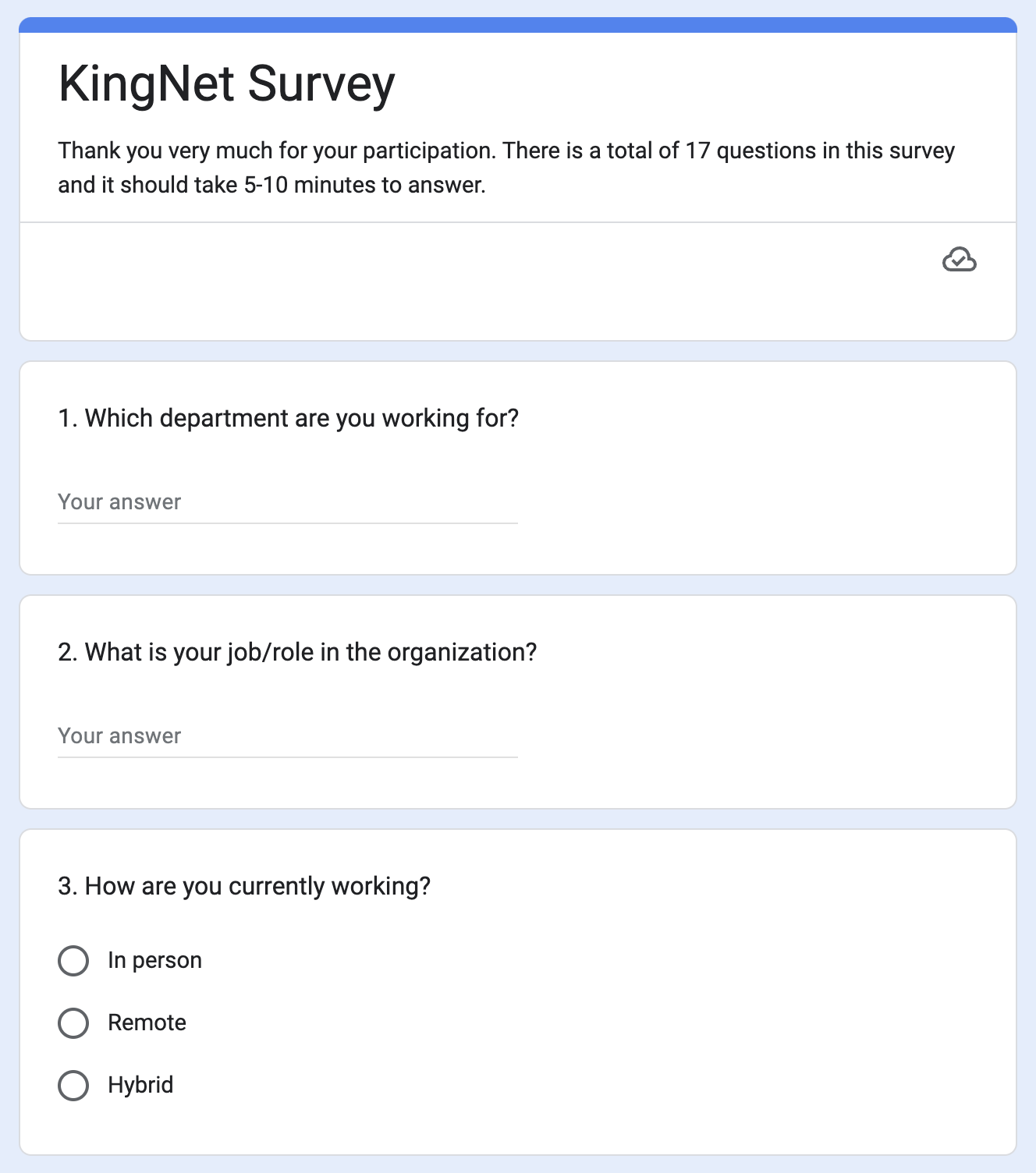
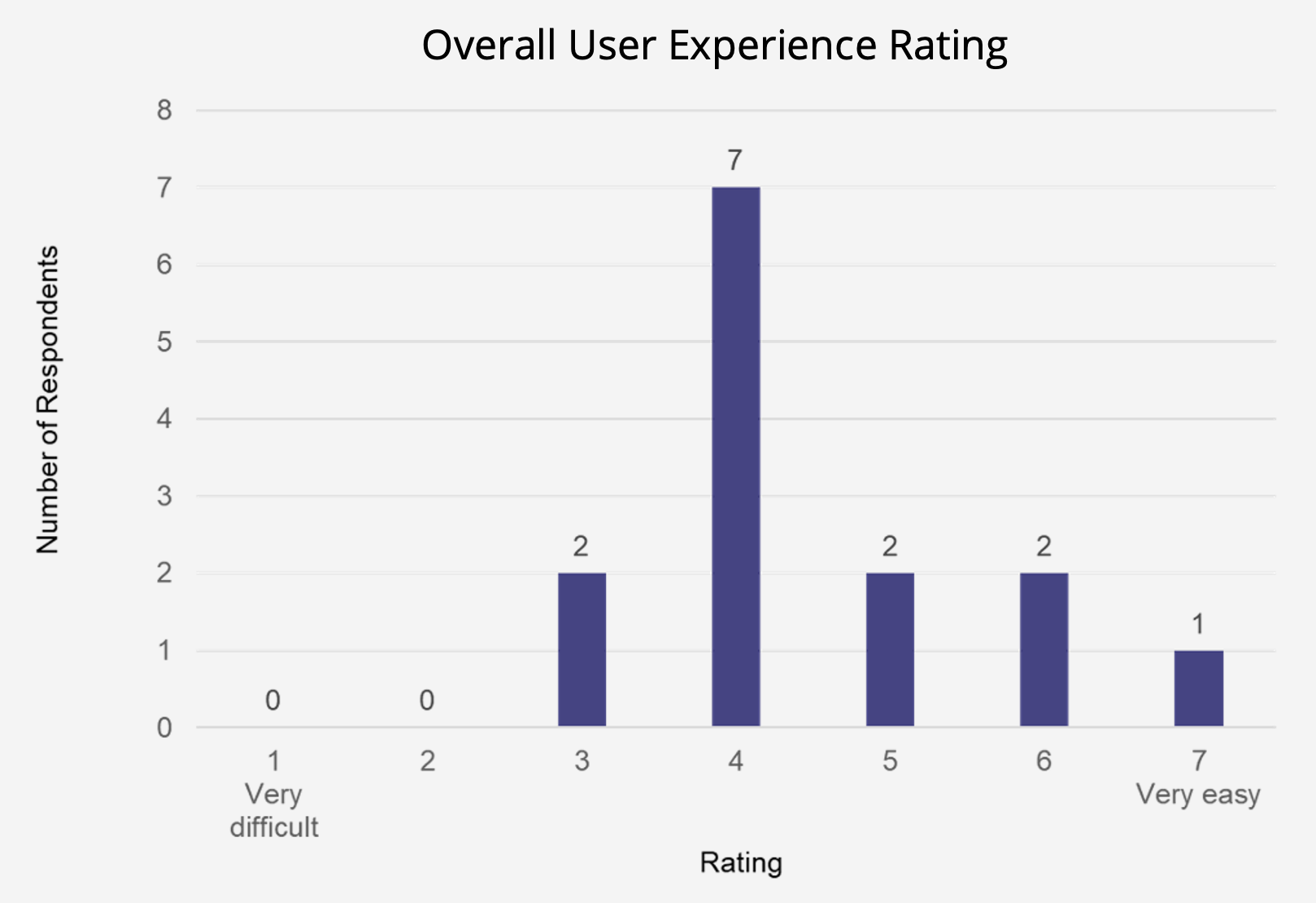
The first research phase involved a literature review to gather best practices in intranet design, and a survey to collect user feedback on the current intranet design. Each team member went through various resources for the literature review, I focused on the must haves for an intranet homepage to guide the team in ensuring the homepage redesign included the important aspects for it to be effective for its users. For the survey, I collaborated with my team to create the questions and online form to be sent out to employees in managerial roles to ensure that we gather the necessary data to determine how they use the current intranet and any suggestions they may have to make it more useful to them. The survey received 14 sets of responses which the team analyzed to come up with the following findings that we shared with the client in the touchpoint.
- The overall user experience is poor.
- Pages are cluttered.
- Navigation is confusing.
- Information is outdated.
- User interface is unfriendly.
The second research phase was focused on collecting more detailed insights into the intranet usage by conducting semi-structured interviews with employees. I recruited three of the five interview participants through email to join the research activity. Two interviews of which I facilitated and was able to encourage the participants to comfortably share their experiences with the intranet. After the interviews, the team analyzed the feedback we gathered which confirmed our findings in the first phase but with a deeper understanding as to the why. With these the team was able to come up with the user top tasks below based on what they do and what they want for KingNet that guided the creation of the wireframes. I facilitated the creation of the wireframes in Miro based on the individual sketches and thoughts of the team. Both the findings and wireframes were presented in a meeting with the client.
Top Tasks
- What they do
- Access HRMS
- Access organizational chart
- Access policy pages
- Check job openings
- Check new hires
- What they want
- Check updated news
- Quick links/ favourite buttons
- Internal communications
- Role-specific data statistics
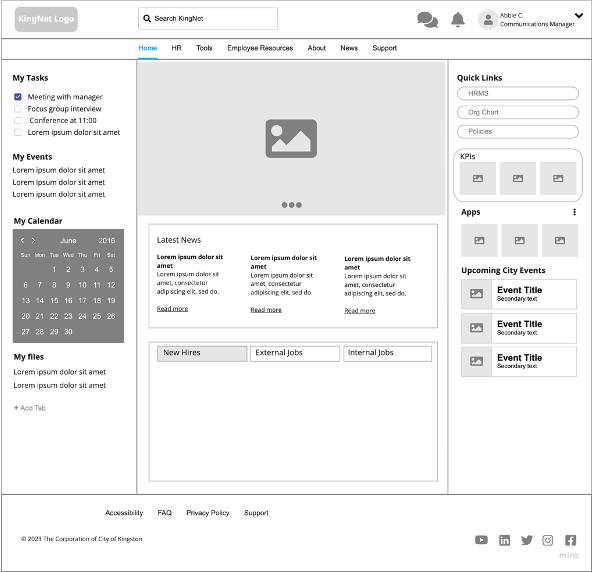
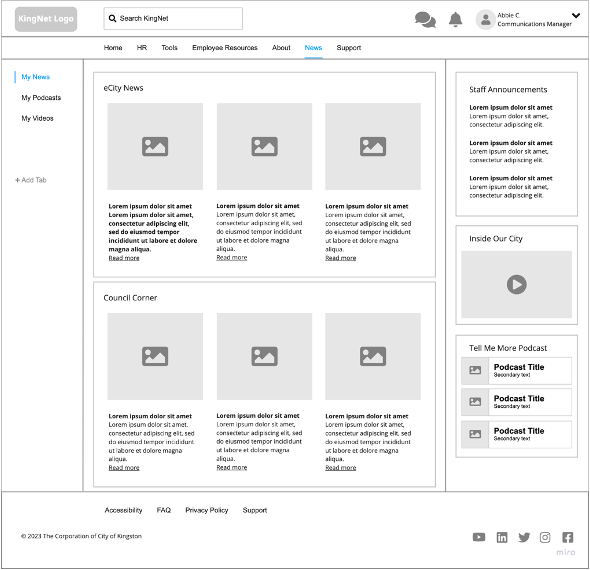
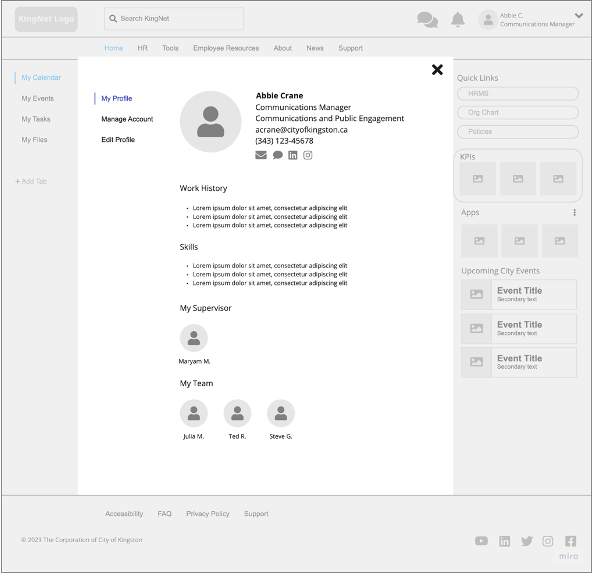
After the meeting from which client feedback was given, the team conducted an A/B testing and feedback session with the UX class to gather more suggestions in improving the design of the wireframes. Based on findings from the client and our peers, the wireframes were developed into a low fidelity prototype in Figma to be used during another round of feedback sessions, this time with city employees. Particularly, I created the prototype in Figma for the News pages both top level and a level deeper to show the types of content, layout and basic interaction between the two pages. In this phase, there were two feedback sessions with a total of three participants. I took notes on these two instances to document their thoughts and comments on the low fidelity prototypes. After the activities, the feedback was analyzed by the team which were taken into consideration in iterating the prototypes presented to the client. The findings for this phase were as follows:
- Users found the personalized dashboard appealing.
- Users suggested to update content to what is currently available such as the video and podcasts
- Users were looking for appropriate icons to indicate links and editable sections
- Users suggested to take out redundancies between KingNet and Sharepoint

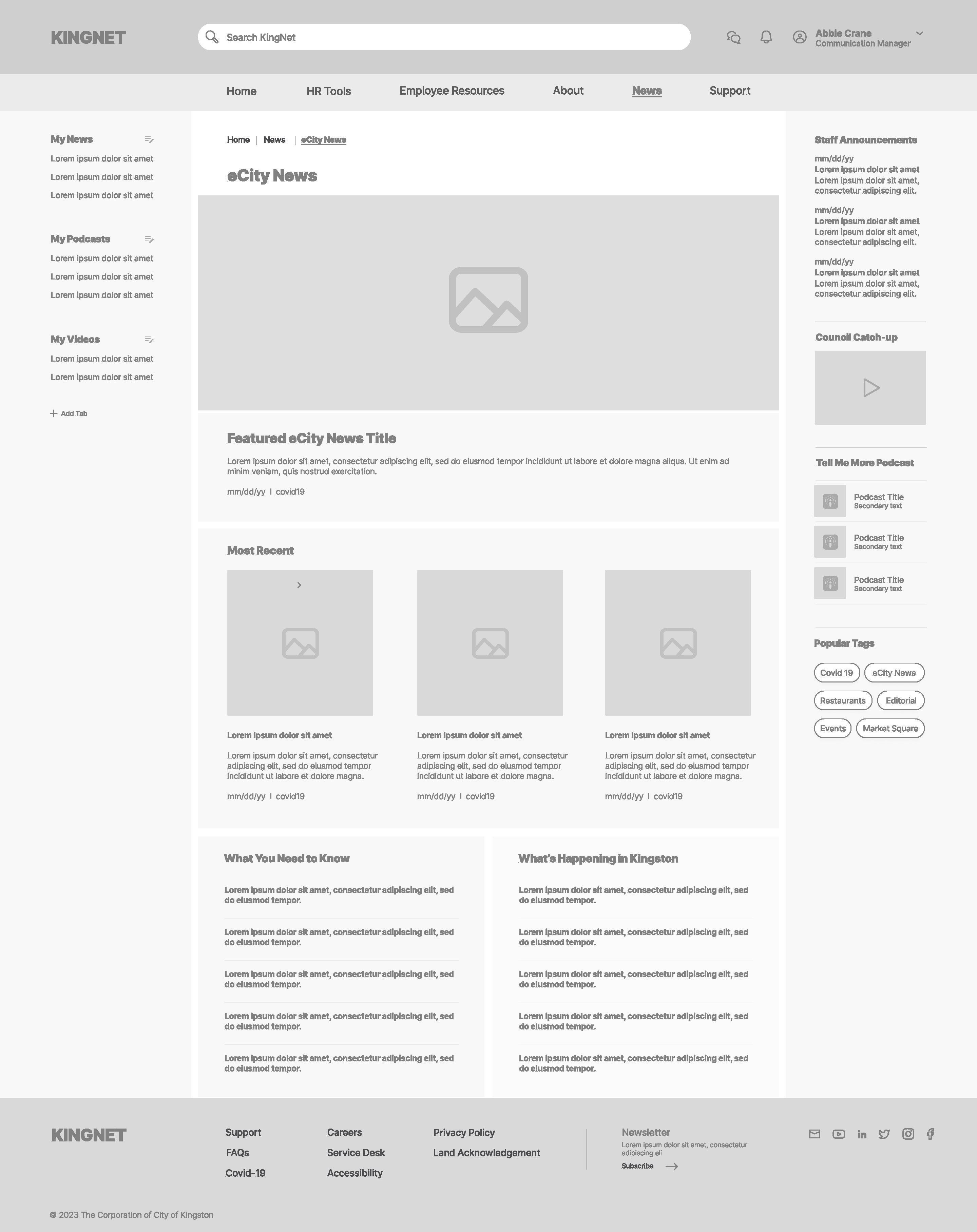

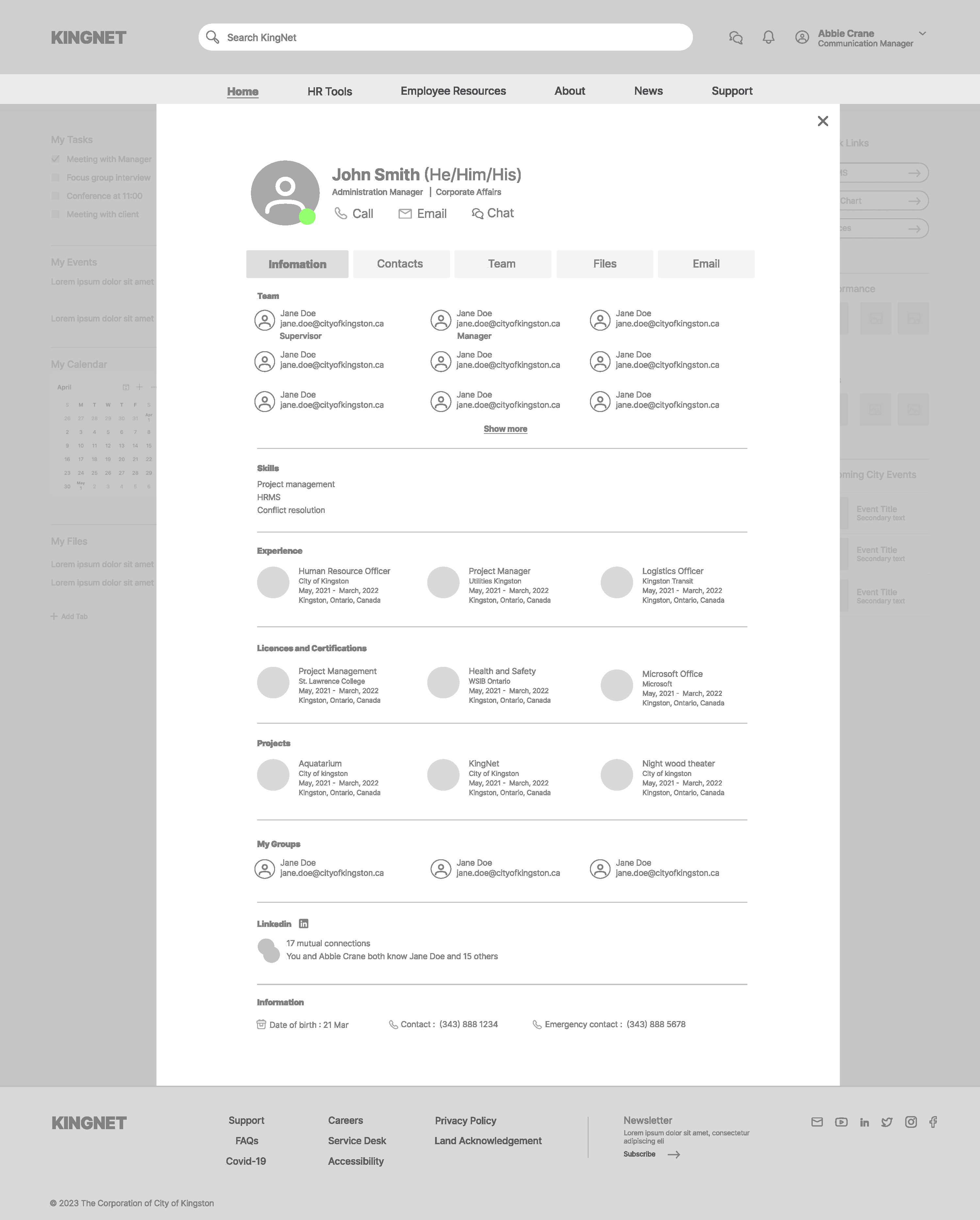
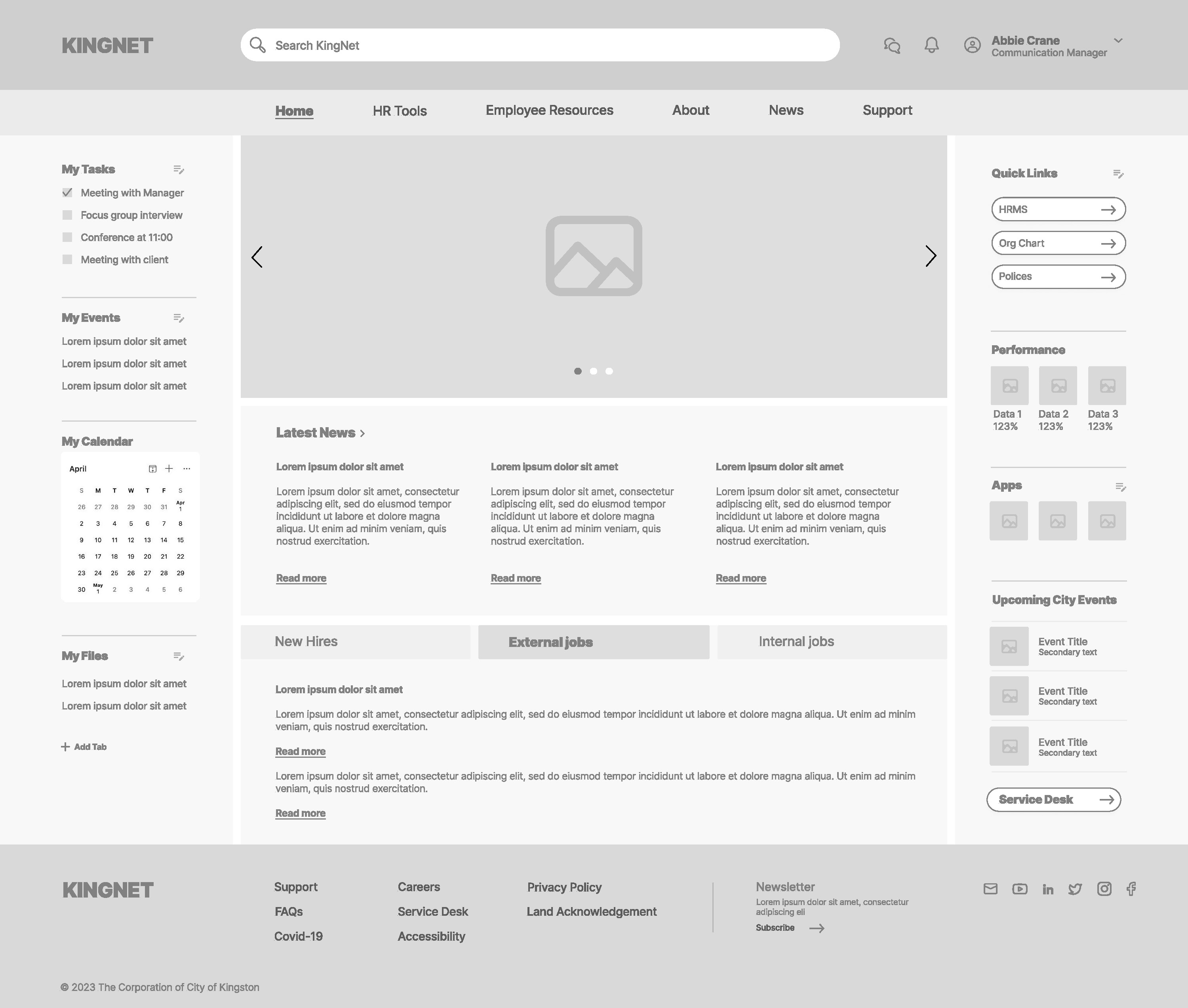
The final phase involved applying the findings from the previous phase to transform the low-fidelity prototype into a high-fidelity one. This included establishing the final colour scheme and user interactions finalized by the team. I worked on the News and City News pages and gave support in the other pages as well.
This high-fidelity prototype along with the journey and research findings the team underwent throughout the whole project was presented in a Showcase Event with the client and invited guests from the college and the City of Kingston. A brief Q&A session followed the presentation where the team answered the concerns appropriately. All reports and final files were turned over to the client after the event.
From Future State to Current State
Intranets were made and setup to help employees in their work. Knowing what employees need and find value in is important to consider when creating an intranet that will work in their favour rather than against or none at all. With the team’s redesigning efforts of KingNet and eventual implementation, this intranet will now be a part of the City of Kingston employees daily work routine, making them more productive, engaged and motivated.

 CERISE CREATIVES